
ProHub SMS alerts are available only to Modern Air Design employees with an authenticated ProHub account. Enrollment is optional and is completed by the employee inside ProHub.
How employees opt in
- The employee signs in to ProHub using their individual account.
- From the user menu, the employee selects SMS notifications.
- The employee enters or confirms their own mobile number and selects the operational alert categories they want.
- The employee selects the unchecked consent box shown below and saves the settings.
- ProHub records the phone number, consent time, source, and policy version.
SMS Notifications
Mobile number
(704) 555-0123
Enable ProHub SMS alerts
I agree to receive recurring operational SMS messages from Modern Air Design ProHub. Message frequency varies. Message and data rates may apply. Reply STOP to opt out or HELP for help. Consent is not a condition of employment.
The consent boxes are unchecked by default. This public example does not collect a phone number or enroll anyone.
After saving
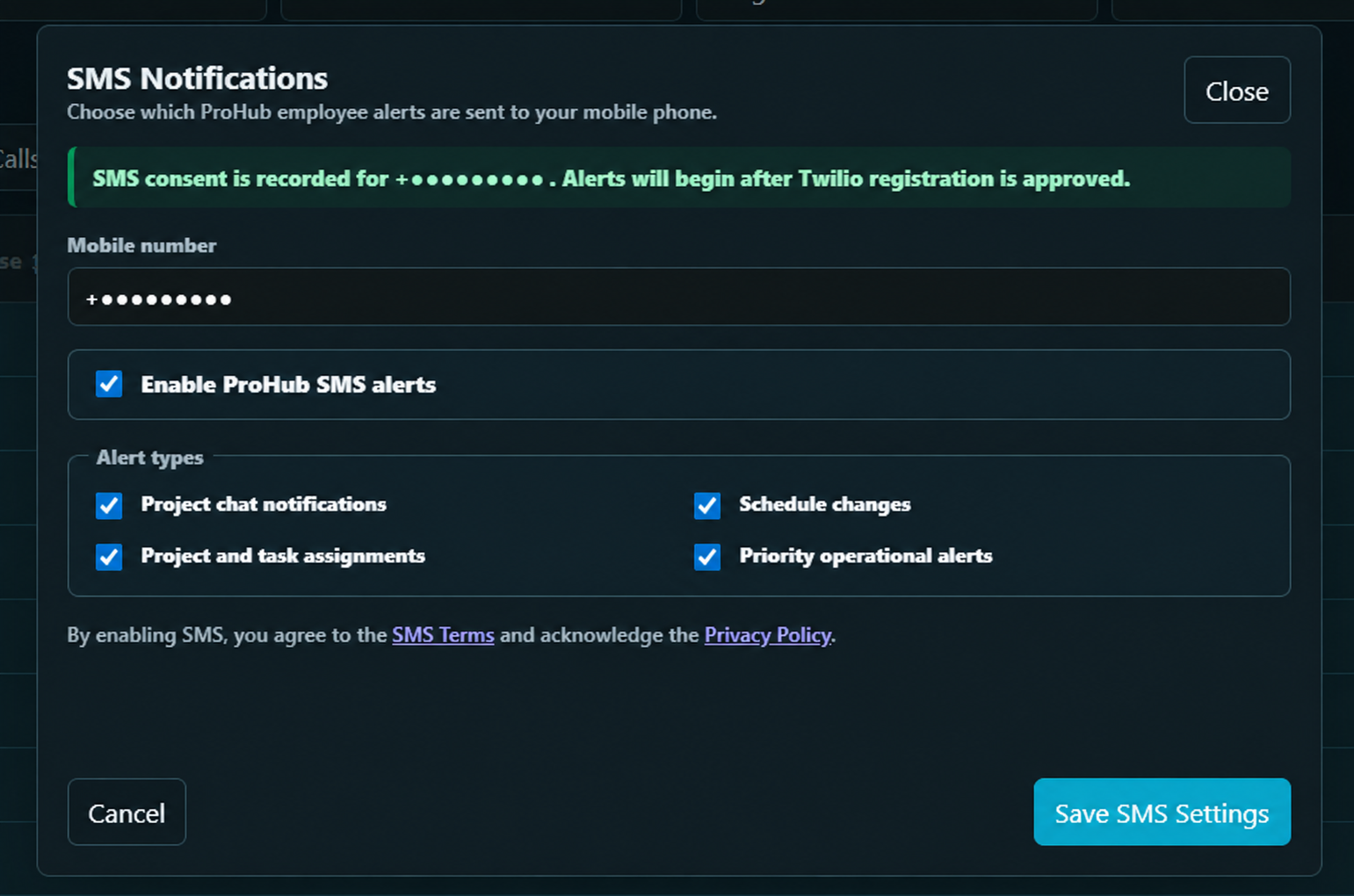
The screenshot below shows the actual ProHub saved-consent confirmation and selected alert types. The employee's phone number has been redacted for privacy.
Message controls
Employees may disable messages in ProHub or reply STOP at any time. Reply START to opt in again from a number already associated with a ProHub employee account. Reply HELP for assistance.